










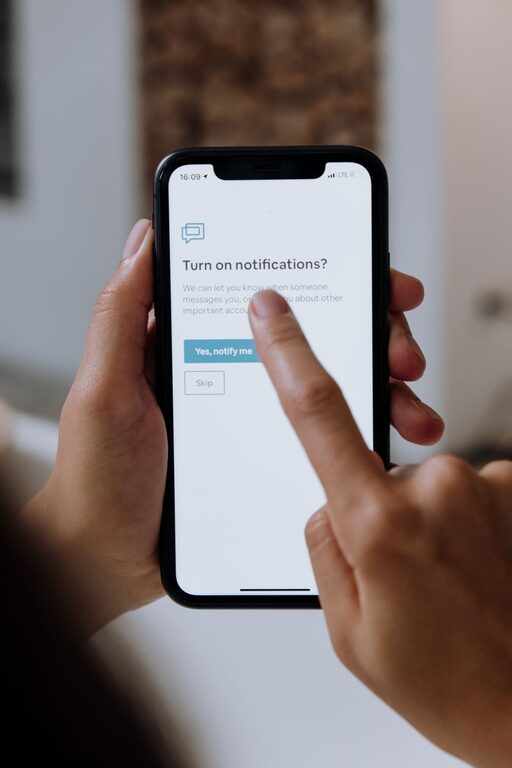
In today’s hyper-connected world, notifications from smartphones, emails, and social media can easily interrupt our daily tasks and overwhelm us. While notifications are designed to keep us informed, without boundaries, they may lead to distractions and stress. Setting clear boundaries with notifications helps improve focus, increase productivity, and support overall well-being.
In this post, we’ll explore practical tips for managing your notifications effectively. Whether you’re working, relaxing, or spending time with loved ones, these strategies can help you regain control over your digital environment.
Why Setting Boundaries with Notifications Matters
Notifications are powerful tools but can become disruptive when they are constant and uncontrolled. Excessive notifications might:
– Interrupt your workflow or concentration
– Increase anxiety or feelings of urgency
– Reduce quality time with family or friends
– Lead to “notification fatigue,” where you start ignoring important alerts
By setting boundaries, you decide when and how digital interruptions occur, allowing you to stay focused and present.
Tips for Setting Boundaries with Notifications
1. Customize Notification Settings for Each App
Not all notifications are equally important. Go through each app on your device and adjust notification preferences:
– Turn off non-essential alerts (e.g., social media likes, promotional messages)
– Enable notifications only for urgent or meaningful updates
– Use “silent” or “banner” modes instead of loud sounds or vibrations where appropriate
Customizing notifications reduces noise and helps highlight important messages.
2. Use "Do Not Disturb" Mode Strategically
Most smartphones and computers have “Do Not Disturb” (DND) features that silence notifications temporarily.
– Schedule DND during work hours, meetings, or focused study sessions
– Use it during personal time such as meals or family gatherings
– Customize exceptions for critical contacts or apps if needed
This mode helps create dedicated blocks of uninterrupted time.
3. Set Specific Times to Check Notifications
Instead of reacting immediately to every alert, establish fixed times to review your notifications:
– Check emails and messages a few times a day rather than continuously
– Batch your responses to maintain flow in your activities
– Avoid starting or ending your day with constant notifications
This practice helps reduce stress and increases productivity.
4. Declutter Your Notification Center
Regularly review and clear your notification center to avoid feeling overwhelmed.
– Delete irrelevant notifications or mark them as read
– Group similar notifications together if your device supports it
– Uninstall or disable apps that generate unnecessary alerts
A clean notification center gives a clearer picture of what needs your attention.
5. Use Focus or Productivity Modes Offered by Devices
Many devices offer focus or productivity modes designed to minimize distractions:
– Apple’s Focus mode lets you customize notifications based on activity or location
– Android’s Focus mode restricts app usage during set periods
– Windows and macOS offer Focus Assist features to silence notifications during work
Explore these tools and tailor them to your needs.
6. Communicate Your Boundaries to Others
Let people know about your notification preferences:
– Inform colleagues, friends, and family when you plan to be offline or unavailable
– Use status messages or app features to indicate “Do Not Disturb” or “Away”
– Set expectations on response times to reduce pressure on both ends
Clear communication supports your boundaries and fosters understanding.
7. Reflect on Your Notification Habits Regularly
Take time to evaluate the effectiveness of your notification management:
– Are you less distracted during tasks?
– Do you feel more relaxed with fewer interruptions?
– Which apps or notifications still cause issues?
Adjust settings and strategies as needed to improve your balance.
Benefits of Healthy Notification Boundaries
Implementing these tips can lead to multiple benefits:
– Improved concentration and efficiency at work and personal projects
– Enhanced mental well-being with reduced stress from constant alerts
– Better quality time with family and friends, free from digital interruptions
– Greater control over your time and attention in a busy digital world
Final Thoughts
Notifications are helpful when managed properly, but without limits, they can take a toll on your daily life. By customizing settings, using built-in focus tools, scheduling notification checks, and communicating your preferences, you can create boundaries that protect your focus and peace of mind.
Try implementing these tips gradually, and notice how setting boundaries with notifications improves your digital experience and overall productivity.