









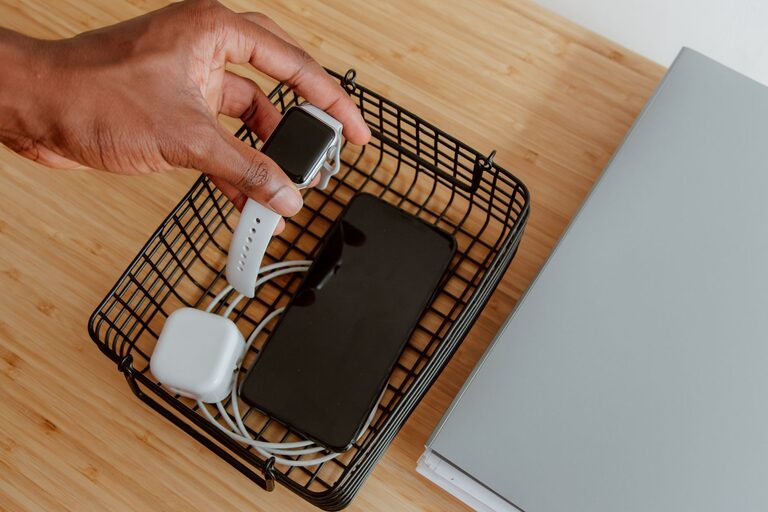
Setting up a dedicated charging station for your devices is a simple yet effective way to keep your technology organized and ready to use. Whether it’s smartphones, tablets, laptops, or wearable devices, having one spot in your home to charge everything reduces clutter and keeps cables neat. In this post, we’ll walk you through how to create a charging station that suits your needs, looks good, and functions smoothly.
Why Create a Charging Station?
With multiple devices to charge daily, cables can quickly become tangled or misplaced. A charging station helps you:
– Keep devices in one place
– Manage cables and reduce clutter
– Charge multiple gadgets at once
– Protect devices from damage caused by careless charging
– Maintain a tidy and efficient space
Step 1: Choose the Right Location
Find a spot where your charging station will be convenient to use but not in the way. Common locations include:
– A desk or home office area
– A side table in the living room
– A kitchen counter corner
– Your bedroom nightstand
Make sure the location has access to power outlets. If you don’t have enough outlets nearby, consider using a power strip (more on this below).
Step 2: Select Your Charging Equipment
Charging Hub or Power Strip
Instead of plugging devices directly into separate wall outlets, use a charging hub or a power strip with multiple outlets and USB ports. Here’s what to look for:
– Multiple USB ports: Many devices charge via USB, so a hub with several USB-A or USB-C ports lets you charge many devices simultaneously.
– Fast charging support: Look for hubs that support fast charging standards like Qualcomm Quick Charge or USB Power Delivery if your devices are compatible.
– Surge protection: Protect your devices from power surges by choosing a charging station with built-in surge protection.
Charging Cables
Use good-quality cables that match your devices’ charging ports—Lightning cables for Apple devices, USB-C for many Android phones, or micro-USB for some older gadgets. Keeping extra cables on hand is helpful in case of damage or if you add new devices.
Charging Stands or Docks (Optional)
Charging stands or docks hold devices upright while charging, which can help keep your space organized and make it easier to see notifications at a glance.
Step 3: Organize Your Cables
Cable management is key to a tidy charging station. Here are some tips:
– Cable clips: Use adhesive clips to hold cables in place along the edges of your desk or charging area.
– Velcro ties: Bundle excess cable length with reusable velcro ties to prevent tangling.
– Cable boxes: Hide power strips and excess cables inside a cable box to keep things neat.
– Label cables: Attach small labels so you can quickly identify which cable belongs to which device.
Step 4: Arrange Your Devices
Once your charging station is set up with the right power source and cable management, arrange your devices:
- Place your most frequently used devices front and center.
- Group similar devices together, such as all phones on one side and tablets on the other.
- Use stands or small containers to keep devices upright and avoid scratching.
- Make sure devices have sufficient airflow to avoid overheating.
Step 5: Maintain Your Charging Station
To keep your charging station efficient and safe:
– Regularly check cables for wear and replace damaged ones.
– Clean dust from chargers and power strips.
– Avoid overloading power strips to reduce fire risk.
– Unplug devices once fully charged to conserve energy.
Extra Tips for a Successful Charging Station
– Wireless charging: If many of your devices support wireless charging, consider adding a Qi wireless charging pad. It reduces cable clutter and is very convenient.
– Portable charging: Keep a portable power bank nearby for charging devices on the go.
– Customize the look: Use decorative boxes, trays, or baskets that match your home décor to make your charging station blend in stylishly.
– Child safety: Keep charging stations out of reach or secured if you have small children, as cables and devices can pose hazards.
Conclusion
Setting up a charging station can simplify your daily routine, reduce clutter, and prolong the life of your devices. By choosing the right location, equipment, and organizing your cables and devices thoughtfully, you create a charging hub that suits your lifestyle perfectly. Take a little time to set it up now, and enjoy a more streamlined, efficient way to keep your gadgets powered up every day!